Waiting room screens
What does someone in your waiting room want to know? Almost always, how much longer. A screen that answers that, and stays right, does more for the room than anything else you could play on it.
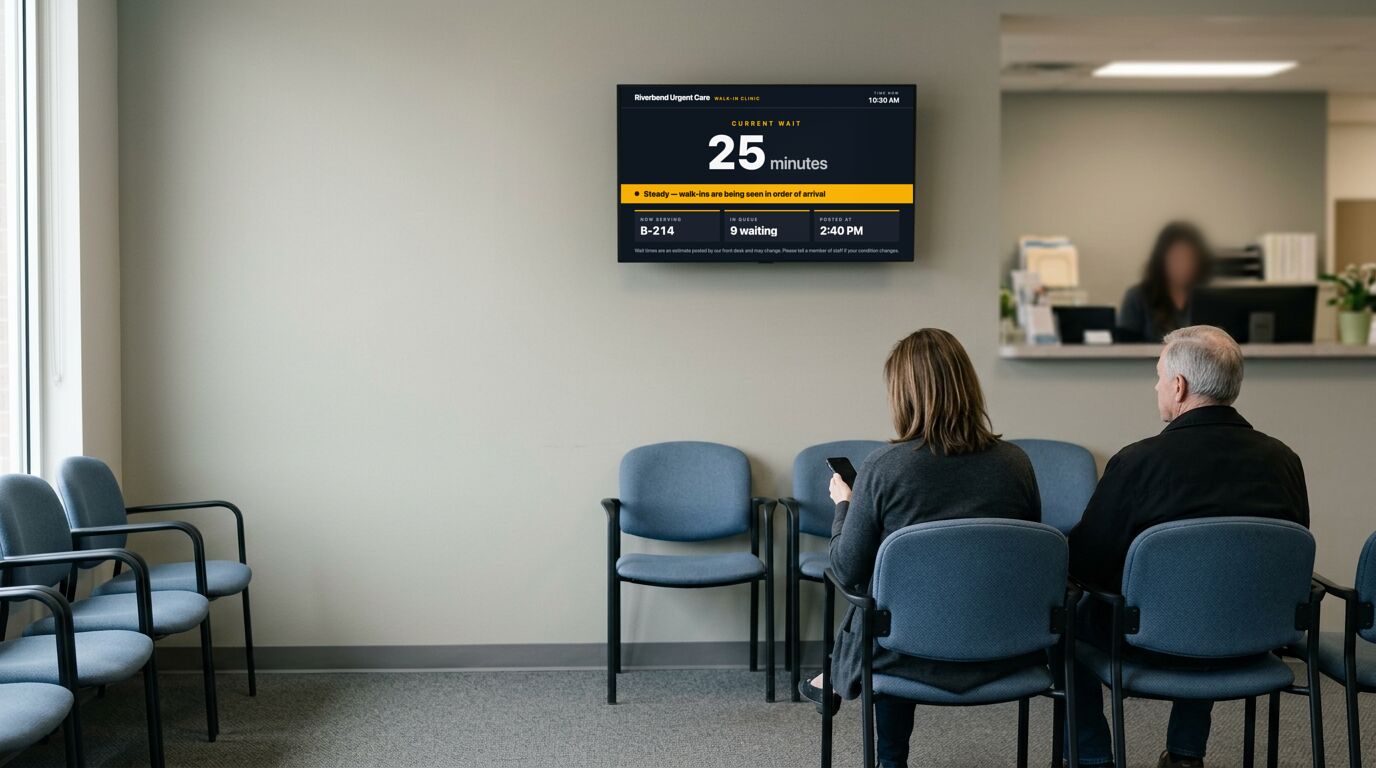
A true number beats a distraction
The complaint in a waiting room is almost never the length of the wait. It's not knowing the length of the wait. A posted estimate that turns out roughly right is worth more than a screen playing something pleasant, because it lets someone decide whether to make a call, get a coffee, or just settle in.
Which means the number has to be maintained. A wait-time board showing "about 10 minutes" at 4pm when the room is visibly full is worse than no board, because it tells people the screen is decorative, and they stop reading it, including the parts that matter later.
Now serving, and who it's for
A now-serving board is worth a screen only where people really are queued by number: a service counter, a pharmacy, a parts desk. In a clinic where people are called by name, it's theater.
If you do run one, put it where someone can see it from a seat, not only from the queue. The point is that people can sit down.
The rest of the rotation
Opening hours over a holiday period is the single most-asked question in most waiting rooms, and it changes a few times a year. That's exactly the kind of thing a screen handles better than a printed notice taped to a door.
A QR code to a form, a portal or a feedback page turns dead time into something useful, but only if the destination is worth the scan. Point it at a thing someone would actually do while sitting down.
Templates that fit

Wait Time Display
Clinics, urgent care centers, service desks, restaurants
18 editable fields

Now Serving
Service counters, pharmacies, deli counters, workshops
12 editable fields

Holiday Hours
Retail, restaurants, clinics, anywhere with a seasonal week
32 editable fields

QR Code (Ticket)
Menus, sign-ups, reviews, app downloads, promotions
7 editable fields

Weather Display (Classic)
Lobbies, cafés, break rooms, transit waiting areas
7 editable fields

Tip of the Day (Glass)
Break rooms, gyms, clinics, safety boards, staff areas
7 editable fields
More templates for these screens
Others in the same categories as the picks above. All included on every plan, the free one too.
Hours: Store Hours (Slate), Store Hours (Split-Flap), Store Hours (Terminal), Worship Service Times (Botanical)
Info: Order Up (Split-Flap), Order Up (Terminal), Order Up (Ticket), Safety Dashboard
Quote: Inspirational Quote (Botanical), Inspirational Quote (Poster), Inspirational Quote (Art Deco)
Utility: Analog Clock, Analog Clock (Swiss), Calendar (Bold), Calendar (Split-Flap)
Weather: Sun & Moon (Print), Weather Display (Arcade), Weather Display (Bold), Weather Display (Glass)
What the free plan covers
The free plan runs 3 screens with no time limit and no credit card. For a lot of the sites on this page, that's the whole installation. Past that, Pro is $29 a month in total for up to 25 screens. Full detail on the pricing page.
To set one up, the TV setup guides cover which sets and sticks can run a screen and the power settings to turn off, and pairing a screen takes four steps.
What it doesn't do
It doesn't know your queue. Wait times and now-serving numbers are fields somebody updates, not a feed from your booking or ticketing system. If you need the number to move on its own, that's an API integration: the API can set these fields, but you'd be building the bridge.
Other use cases
Retail and storefront screens · School and campus screens · Warehouse and production floor screens · Hotel and hospitality screens · Digital menu boards · Office and lobby screens · Gym and studio screens · All use cases