Hotel and hospitality screens
Hotel screens are answering questions a guest would otherwise have to ask at the desk, which makes their value easy to measure: count what reception stops being asked.
The four questions
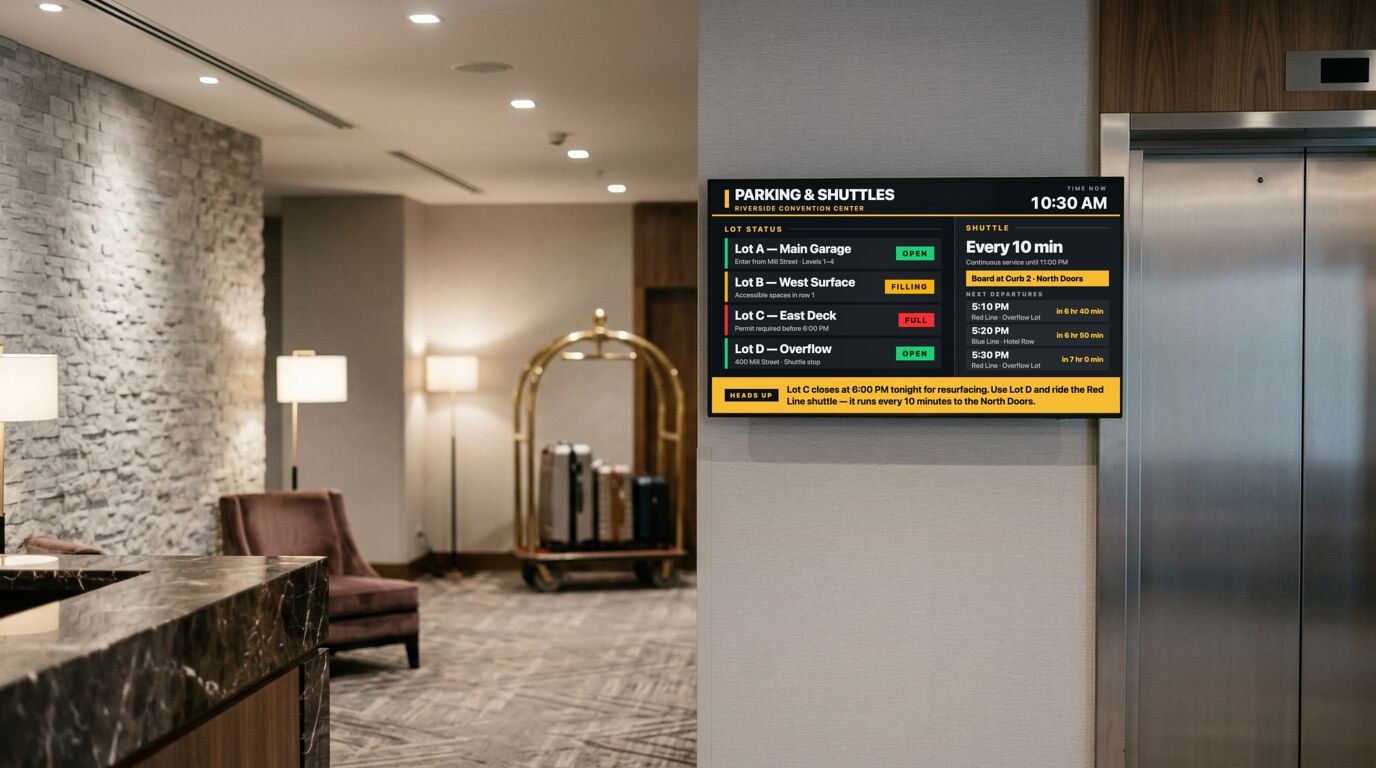
Across most properties the desk fields the same handful: what's the Wi-Fi, where's my meeting, where do I park, and when's the shuttle. Each is a screen, and each is worth more near the point of confusion than in a lobby montage: Wi-Fi by the seating, parking and shuttle by the door, meeting rooms outside the room.
A QR code for Wi-Fi is the one case where a QR is unambiguously better than text: it removes a transcription step from a long random string, which is exactly where guests give up and call down.
A meeting room board is a different product
Outside a room, a board showing what's booked and when is doing wayfinding for delegates and dispute-settling for staff. It only works if it's right, so it needs an owner for the day and a habit of updating it when a booking moves. A stale room board sends people to the wrong floor with confidence.
Restraint is the house style
Guest-facing screens are somewhere people are trying to relax, and the temptation to sell the spa on every rotation is strong. A useful ratio is most of the loop answering questions and a minority promoting anything. The screen people trust for the shuttle time is the one that gets read at all.
World clocks and weather feel like filler until you have an international property, where they're the two things people check on the way out.
Templates that fit

Welcome Screen (Slate)
Corporate lobbies, law and finance offices, studios, anywhere that wants quiet
7 editable fields

Directory
Office lobbies, medical centers, multi-tenant buildings
9 editable fields

Meeting Room (Classic)
Small offices, single rooms, door-mounted tablets
7 editable fields

Wi-Fi Access with QR
Hotels, restaurants, event venues, clinics
14 editable fields

Parking & Shuttle Info
Venues, hospitals, campuses, park-and-ride sites
33 editable fields

World Clocks
Distributed teams, trading floors, travel and logistics
15 editable fields

Weather Display (Bold)
Reception, hotels, schools, outdoor venues
34 editable fields
More templates for these screens
Others in the same categories as the picks above. All included on every plan, the free one too.
Event: Event Announcement (Glass), Event Announcement (Poster), Event Announcement (Ticket), Fitness Schedule
Info: Welcome Screen (Bold), Welcome Screen (Botanical), Welcome Screen (Glass), Welcome Screen (Neon)
Utility: Giving QR (Botanical), Giving QR (Slate), QR Code (Ticket), Wi-Fi Access
Wayfinding: Directory (Print), Directory (Slate), Directory (Wayfinding), Emergency Assembly Point (Wayfinding)
Weather: Weather Display (Classic), Weather Display (Glass), Weather Display (Slate), Sun & Moon (Glass)
What the free plan covers
The free plan runs 3 screens with no time limit and no credit card. For a lot of the sites on this page, that's the whole installation. Past that, Pro is $29 a month in total for up to 25 screens. Full detail on the pricing page.
To set one up, the TV setup guides cover which sets and sticks can run a screen and the power settings to turn off, and pairing a screen takes four steps.
What it doesn't do
There's no PMS or booking-system connection, so guest names, room numbers and meeting bookings are fields somebody sets rather than data that arrives. Room boards in particular are hand-maintained unless you build against the API, so don't promise a delegate the board will be live.
Other use cases
Waiting room screens · Retail and storefront screens · School and campus screens · Warehouse and production floor screens · Digital menu boards · Office and lobby screens · Gym and studio screens · All use cases