Warehouse and production floor screens
Stand where the pallet trucks run and look at your screen for two seconds. Whatever you managed to read is what the screen is for; the rest is decoration nobody on the floor will see.
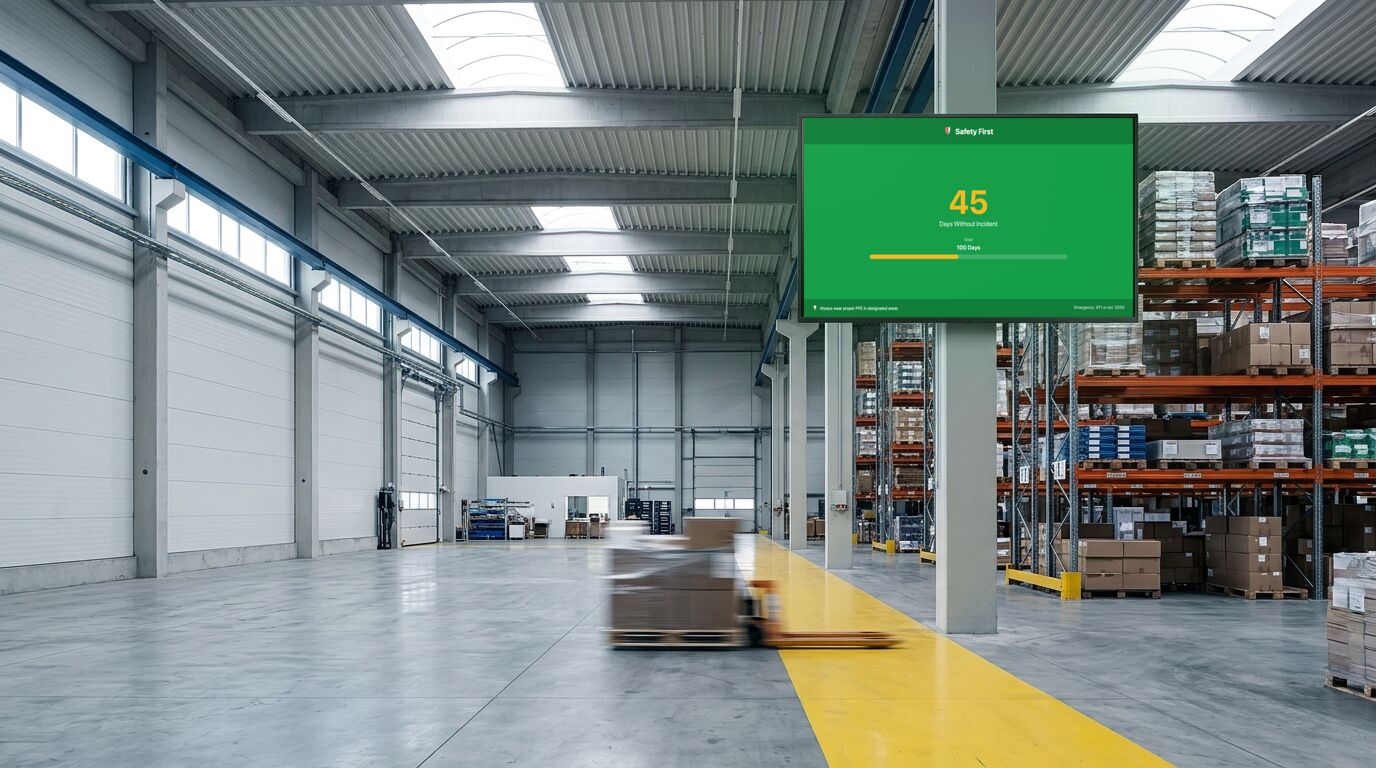
Two seconds, thirty feet
Everything on a floor screen has to survive being read from across a bay by someone walking past with a pallet truck. In practice that means one number large enough to read at distance, a label small enough to stay out of its way, and nothing else competing.
The common failure is a dashboard designed at a desk: six tiles, each legible at arm's length, none legible from the floor. If you can't read it from where the work happens, it isn't a floor screen.
Days-since counters, and their one real problem
A days-since-incident counter is the most-used screen in this category and the easiest to get wrong. It works when it's a shared fact people trust. It stops working the moment anyone suspects the number is being protected. Under-reporting to keep a counter looking good is a real cost, and a screen can create that pressure.
If you run one, pair it with something that rewards reporting rather than silence, and be prepared to reset it in public.
Shift boundaries are the real scheduling problem
Content that makes sense at 9am is wrong at 11pm, and a floor running three shifts needs the screen to change with them. Schedules handle that: set a rotation per shift window and the screen changes without anyone walking over to it.
Screens in these environments also need treating as equipment. Dust, temperature and vibration are what kill consumer panels here, and an enclosure rated for the space costs less than replacing the screen twice.
Templates that fit

Safety Dashboard
Factories, warehouses, construction sites, workshops
7 editable fields

KPI Dashboard
Operations floors, sales offices, warehouses, agencies
35 editable fields

Leaderboard
Sales floors, gyms, warehouses, competitions
16 editable fields

Employee Spotlight
Break rooms, back-of-house, onboarding areas, agencies
11 editable fields

Simple Announcement (Bold)
All-staff notices, reception, sales floor, waiting rooms
10 editable fields
Also useful here: Alert Banner, a simpler layout available in the dashboard.
More templates for these screens
Others in the same categories as the picks above. All included on every plan, the free one too.
Announcement: Simple Announcement (Poster), Simple Announcement (Slate), Volunteer Sign-up (Botanical), Volunteer Sign-up (Poster)
Info: KPI Dashboard (Swiss), KPI Dashboard (Terminal), Now Serving, Now Serving (Arcade)
People: Staff on Duty (Print), Staff on Duty (Split-Flap), Stylist Availability (Botanical), Welcome Aboard (Glass)
Social: Celebration (Art Deco), Celebration (Neon), Leaderboard (Arcade), Leaderboard (Print)
What the free plan covers
The free plan runs 3 screens with no time limit and no credit card. For a lot of the sites on this page, that's the whole installation. Past that, Pro is $29 a month in total for up to 25 screens. Full detail on the pricing page.
To set one up, the TV setup guides cover which sets and sticks can run a screen and the power settings to turn off, and pairing a screen takes four steps.
What it doesn't do
These numbers don't come from your systems. A KPI or a safety counter is a field somebody updates, not a live read from an MES, WMS or ERP. Sheencast has an API and webhooks, so a number can be pushed automatically, but you or an integrator would write that. Until then, treat every figure on the screen as hand-maintained.
Other use cases
Waiting room screens · Retail and storefront screens · School and campus screens · Hotel and hospitality screens · Digital menu boards · Office and lobby screens · Gym and studio screens · All use cases