Digital menu boards on any screen with a modern browser
A café changes its specials every day and its prices a few times a year, and print makes both of those slow. That's why a menu board is where a screen pays for itself fastest.
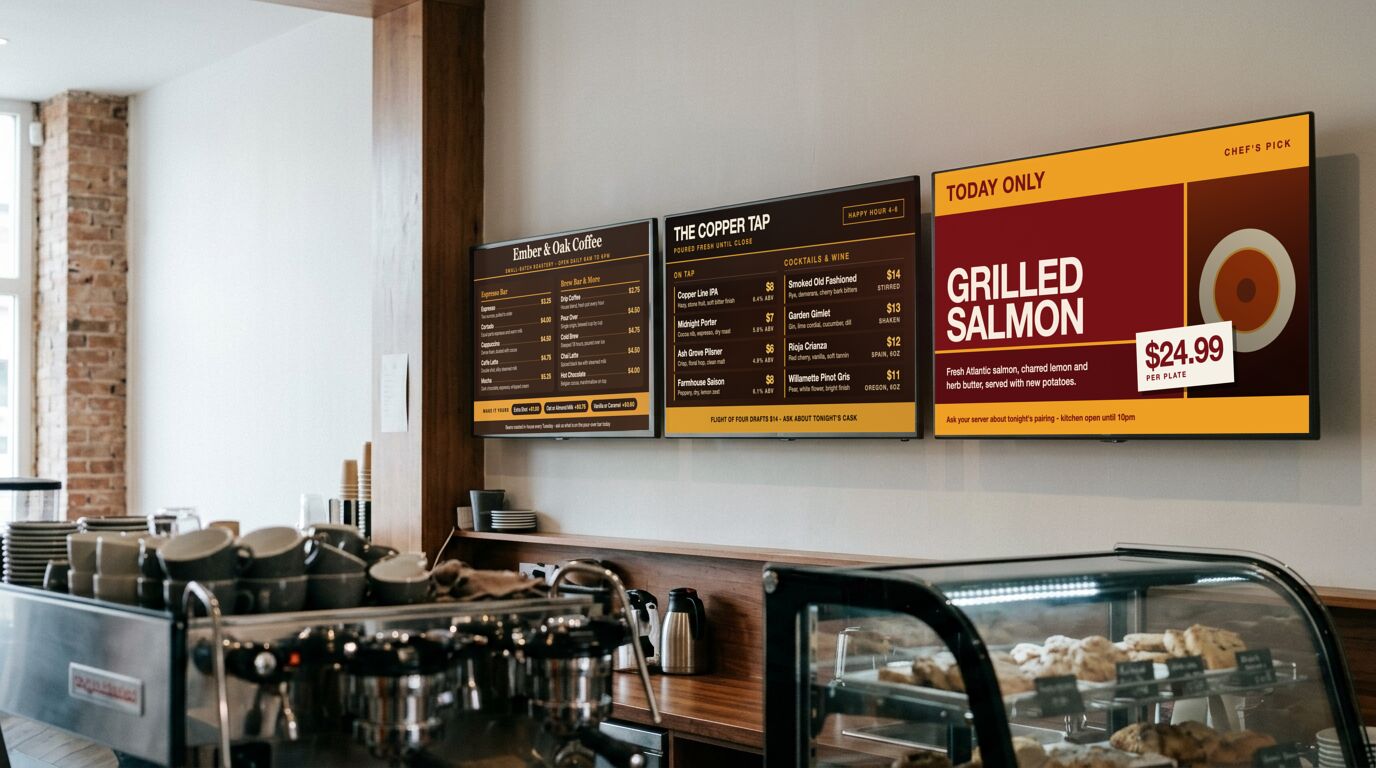
Why a screen beats a printed board here
A printed menu makes every change expensive in the same way: reprint, or cross something out. So prices drift out of date, sold-out items stay up until close, and the specials board stops being written by Wednesday. None of that is a design problem. It's the cost of an edit being too high.
On a screen an edit is a field. Change a price once and every board in the room shows it within seconds, including the one a customer is already reading. That's the entire argument, and it's worth more in a café with two screens than in a chain with two hundred.
What to put on which screen
With two or three screens over a counter, give each one a job: drinks on one, food on the next, and nothing that makes a customer read all three to find a coffee. Give the day's special its own slide in the rotation rather than a corner of the main board, and keep a second, shorter menu in the playlist for the afternoon so the reduced service is a schedule change and not an editing session.
Templates that fit

Cafe Menu
Cafés, coffee shops, cafeterias, counter service
48 editable fields

Bakery Menu
Bakeries, patisseries, coffee shops with a counter display
43 editable fields

Drinks Menu
Bars, pubs, wine bars, hotel lounges
44 editable fields

Menu Board
Takeout spots, cafeterias, counter service, quick-serve
33 editable fields

Food Truck Menu
Food trucks, market stalls, pop-ups, festival booths
32 editable fields

Daily Special (Bold)
Pubs, cafés, delis, cafeterias
13 editable fields

Simple Menu
Small menus, daily lists, coffee counters, market stalls
9 editable fields

Happy Hour
Bars, restaurants, hotel lounges
32 editable fields
More templates for these screens
Others in the same categories as the picks above. All included on every plan, the free one too.
Menu: Wine List (Slate), Bakery Menu (Swiss), Cafe Menu (Art Deco), Cafe Menu (Botanical)
Promotion: Real Estate Listing (Swiss), Sale Banner (Arcade), Sale Banner (Bold), Sale Banner (Classic)
What the free plan covers
The free plan runs 3 screens with no time limit and no credit card. For a lot of the sites on this page, that's the whole installation. Past that, Pro is $29 a month in total for up to 25 screens. Full detail on the pricing page.
To set one up, the TV setup guides cover which sets and sticks can run a screen and the power settings to turn off, and pairing a screen takes four steps.
What it doesn't do
Menu boards are the strongest fit in this list, but they're also the case with the most demanding hardware: a kitchen-facing screen runs hot, all day, every day. Budget for a panel rated for commercial use if it's going to run twelve hours a day, whatever software is driving it.
Other use cases
Waiting room screens · Retail and storefront screens · School and campus screens · Warehouse and production floor screens · Hotel and hospitality screens · Office and lobby screens · Gym and studio screens · All use cases